English
 Nederlands
 Français
 English (UK)
 Deutsch

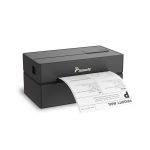
The light around the Y813 Feed button shows whether the printer is ready, paused, or needs attention. Check whether the light is steady, blinking, or alternating between colors—these patterns mean different things.
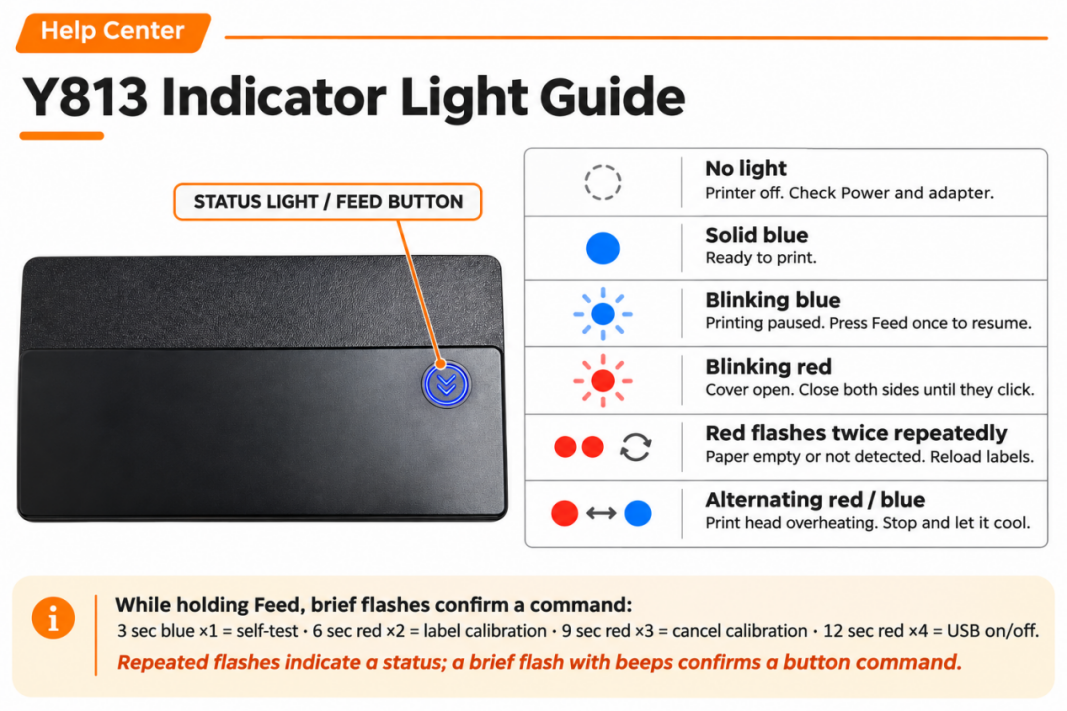
No Light: Printer Is Off
No indicator light means the printer is powered off.
If you expect it to be on, check the Power switch, power adapter, and wall outlet. Then turn the printer on again.
Solid Blue: Ready to Print
A steady blue light means the Y813 is ready for use. You can open your label file, check the preview, and print.
Note: A solid blue light shows that the printer is ready. It does not, by itself, confirm that your phone or computer is connected.
Blinking Blue: Printing Is Paused
A repeatedly blinking blue light means the current print job is paused.
Press Feed once to resume. If you no longer want the job, clear it from your phone or computer’s print queue before sending another label.
Blinking Red: Cover Is Open
A blinking red light means the printer cover is open or not fully closed.
Press down on both sides of the cover until it clicks. Check that the labels lie flat and the width guides touch their edges without bending the paper. Then try printing again.
Red Flashes Twice Repeatedly: Paper Is Empty or Not Loaded
Repeated sets of two red flashes mean the printer cannot detect loaded paper.
Check that labels are available and inserted straight, with the printable side facing up. Feed the labels into the printer and close the cover fully. If you recently changed label size or type, run label calibration after reloading.
Alternating Red and Blue: Print Head Is Overheating
An indicator that alternates between red and blue means the print head is overheating. You may also hear two beeps repeatedly.
Stop printing and let the printer cool. Do not touch the print head immediately after use. Once the warning stops, try printing one label. If the warning returns, contact our support team.
A Brief Flash While Holding Feed
A brief flash and beep while holding Feed confirms a button command. This differs from a repeating warning light:
Blue flash ×1 + 1 beep (about 3 sec): Print a self-test page.
Red flashes ×2 + 2 beeps (about 6 sec): Calibrate the labels.
Red flashes ×3 + 3 beeps (about 9 sec): Cancel calibration.
Red flashes ×4 + 4 beeps (about 12 sec): Toggle the USB function.
If you meant to calibrate the labels, release Feed at the two-flash, two-beep signal. Do not continue holding it until the next command.
Still Seeing a Warning Light?
Please send our support team a short video showing the indicator light and any beeps. Include a photo of the labels loaded in the printer and tell us what happened immediately before the light changed—for example, whether you changed labels, opened the cover, or started a print job.