English
 Nederlands
 Français
 English (UK)
 Deutsch

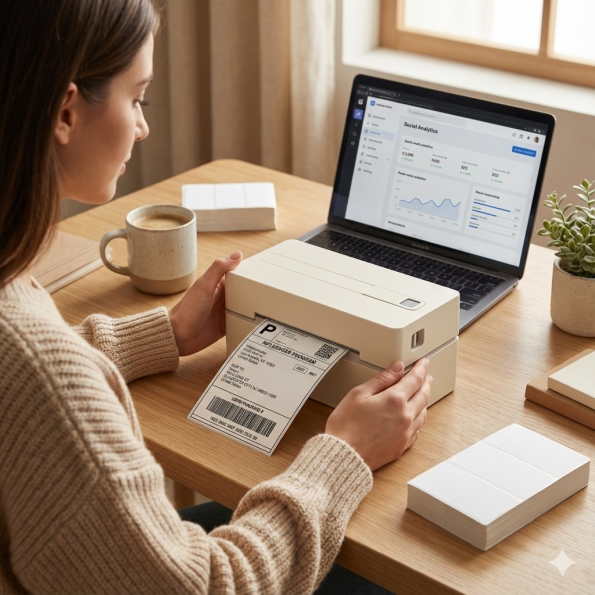
Some sound is normal. The Y813’s motor makes a soft operating sound as labels move through the printer. During label calibration, the printer feeds paper to learn the label size and gaps, so you will also hear the motor and see the labels move.
If the labels feed smoothly and the sound stops when feeding or calibration finishes, this is generally normal. Follow the steps below if you hear loud or repeated clicking, grinding, or rattling, or if the labels stop moving or feed unevenly.
1. Stop Printing and Check the Paper Path
Turn off the Y813 and disconnect the power adapter. If the printer has been operating for a while, let the print head cool before opening the cover.
Check for folded labels, torn backing paper, adhesive residue, or other visible material caught in the accessible paper path. Carefully remove any loose pieces you can reach. Do not pull a stuck label forcefully, use sharp tools, or disassemble the printer.
If you see residue on the accessible roller or print-head area, gently clean it with a lint-free swab lightly moistened with isopropyl alcohol. Let the area dry completely before closing the printer.
2. Reload the Labels Straight
Check that the labels are flat, undamaged, and suitable direct thermal labels. Load them with the printable side facing up.
Adjust the width guides so they touch the edges of the backing paper without squeezing or bending it. Make sure nothing behind the printer catches or pulls on the label strip.
Press down on both sides of the cover until they click.
3. Test Feeding Before Printing
Reconnect the original adapter and turn on the Y813. When the printer is ready, press Feed once and watch the label move.
The label feeds smoothly: A brief motor sound during feeding is normal. Print one test label. If a loud noise occurs only during printing, continue to the print-setting checks below.
The label catches, stops, or makes a repeated grinding sound: Recheck the paper path, guides, and cover. Try a fresh stack of compatible labels. If it still does not feed normally, stop testing and contact support.
If you changed label size, type, or brand, calibrate the loaded labels: hold Feed for about 6 seconds, then release it when the red light flashes twice and you hear two beeps. The printer will make a feeding sound and move the labels during calibration. Wait until it finishes before testing again.
4. Check Settings If the Loud Noise Occurs Only While Printing
If labels feed normally with the Feed button but a loud noise starts while printing a dark image, thick barcode, or large black area, check the print settings.
If Print Density is available, lower it slightly and print one test label. If Print Speed is available, return it to the default setting first and compare the result. Change one setting at a time. Keep settings that produce clear text and a scannable barcode.
5. Check the Power Adapter
Have you replaced the adapter supplied with your printer? The original Y813 adapter is rated 24 V DC / 1.25 A / 30 W. If you are using another adapter, stop using it and test with the original Y813 adapter.
Do not continue printing if the adapter or printer becomes unusually hot, smells burnt, or shows visible damage.
Still Making a Loud Noise?
Please send our support team your order number, the model shown underneath the printer, and a short video showing both the sound and the labels moving through the printer. If possible, show one press of Feed and one attempted test print so we can tell when the noise begins.
Include a photo of the labels loaded with the cover open. If you changed the adapter, also send a clear photo of its specification label.
ARTICLE | PRODUCT OVERVIEW